

Let’s be honest—waiting for your tax refund can feel like watching paint dry, except the paint is your money and you’d really like to know when it’s showing up. If you filed your 2025 tax return and you’re refreshing your bank app every five minutes, you’re definitely not alone.
The good news? The IRS actually makes it pretty simple to track your refund status in 2026, as long as you know where to look and what the timelines actually mean. Let’s break it all down.
How Long Does It Take to Get Your Tax Refund in 2026?
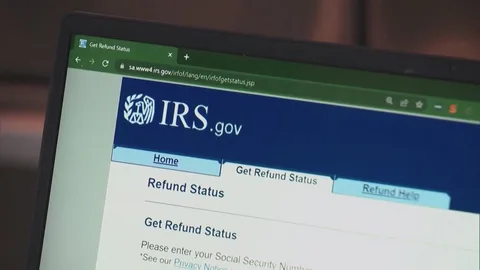
Here’s the deal: most refunds show up within 21 days of the IRS accepting your e-filed return. That’s the magic number the IRS itself advertises, and for the majority of filers, it holds up.
But a few things can slow things down:
• Paper returns take way longer—think 6 to 8 weeks, sometimes more
• Claiming the Earned Income Tax Credit (EITC) or Additional Child Tax Credit (ACTC) triggers a mandatory hold until mid-to-late February, regardless of when you filed
• Errors, incomplete info, or identity verification flags can add weeks to the process
• Amended returns are a whole different ballgame—those can take up to 16 weeks
If you filed electronically and chose direct deposit, you’re in the best possible position for a speedy refund.
Where’s My Refund? The Official IRS Tool You Need
The go-to resource for tracking your refund is the IRS’s own tool, and it’s called—fittingly—”Where’s My Refund?”
Check your status here: www.irs.gov/refunds
You can also access the same info through the IRS2Go mobile app, available on both iOS and Android, if you’d rather check from your phone.
What You’ll Need to Use It
To pull up your status, have these three things ready:
1. Your Social Security Number (SSN) or ITIN
2. Your filing status (single, married filing jointly, etc.)
3. The exact refund amount shown on your return
That’s it. No login, no account creation—just plug in the details and hit submit.
Understanding the Three Refund Stages
The tool shows your refund moving through three simple stages:
• Return Received – The IRS has your return and it’s being processed
• Refund Approved – They’ve confirmed your refund amount and are preparing to send it
• Refund Sent – It’s on its way, either via direct deposit or mailed check
Pro tip: The tool updates once every 24 hours, usually overnight. Checking it fifteen times a day won’t make it move faster (we’ve all tried).
When Can You Start Checking?
Don’t rush to check immediately after hitting submit. Here’s the realistic timeline:
• E-filed returns: Check status within 24 hours after the IRS confirms receipt
• Paper returns: Wait about 4 weeks before checking, since it takes that long just to get into the system
What If Your Refund Is Delayed?
If it’s been longer than 21 days for an e-filed return (or 6 weeks for paper), a few things might be going on:
• Your return needs manual review due to errors or mismatched info
• You’re a victim of identity theft and the IRS is verifying your identity
• You claimed certain credits that require extra verification
• There’s a backlog (it happens, especially during peak filing season)
If the “Where’s My Refund?” tool doesn’t give you clarity after this window, you can call the IRS Refund Hotline at 800-829-1954, though be prepared for hold times during tax season.
Quick Tips to Avoid Refund Delays
• File electronically instead of mailing a paper return
• Double-check your SSN, bank account, and routing numbers before submitting
• Choose direct deposit over a paper check
• Make sure your name matches exactly what’s on file with the Social Security Administration
• File early rather than waiting until the deadline crunch
Frequently Asked Questions
Q: Can I check my refund status without creating an IRS account?
Yes! The “Where’s My Refund?” tool doesn’t require login credentials—just your SSN, filing status, and exact refund amount.
Q: Why does my refund status say “still processing”?
This usually means the IRS is still reviewing your return. It’s normal during the first few weeks, but if it persists past 21 days, there may be an issue requiring attention.
Q: Will calling the IRS get me a faster answer than the online tool?
Not usually. IRS representatives see the same information as “Where’s My Refund?” so calling won’t speed up the process unless the tool tells you to contact them directly.
Q: Does the tool update in real time?
No, it updates once every 24 hours, typically overnight. Checking multiple times a day won’t show new information.
Q: What if I moved or changed my bank account after filing?
If your direct deposit info is outdated, the deposit may bounce back, and the IRS will mail a paper check to your address on file instead—which takes longer.